Lost Data? – The Quickest Way to Save Your Photos After Water Damage in Japan
One of the most terrifying moments for any iPhone user is seeing their device submerged in water. Whether it is a drop in the sink, a spill at a cafe, or an accidental dip in a hot spring during a trip to Hokkaido, water damage happens in an instant. The immediate concern is often not just the cost of the phone, but the precious memories stored inside: photos of family, travel videos, and important work documents. If you are in Sapporo and facing this crisis, Smapple Sapporo Ekimae is here to help you recover what matters most.
- 1. Immediate Steps to Take After Water Exposure
- 2. The Danger of Internal Corrosion
- 3. Why Smapple Sapporo Ekimae is Your Best Choice
- 4. Summary: Don’t Give Up on Your Memories
- 5. Lost Data? – The Quickest Way to Save Your Photos After Water Damage in Japan
- 6. Why Water Damage is So Destructive
- 7. What to Avoid When Your iPhone Gets Wet
- 8. Expert Data Recovery at Smapple Sapporo Shiroishi
- 9. Conclusion: Quick Action Saves Data
Immediate Steps to Take After Water Exposure
The actions you take in the first few minutes after your iPhone hits the water can determine whether your data is recoverable. Please follow these critical steps immediately:
・Power Off the Device: If the phone is still on, turn it off immediately. If it is already off, do NOT try to turn it back on. Electricity and water are a deadly combination for internal circuits. ・Remove the Case and SIM Tray: Take off any protective casing and remove the SIM card tray. This allows for a small amount of airflow into the device. ・Wipe the Exterior: Use a dry, lint-free cloth to remove excess moisture from the surface. ・Do NOT Use Rice: Contrary to popular myth, putting your phone in a bag of rice is not effective. Rice dust can actually enter the ports and cause more damage, and it does not draw out the moisture trapped deep inside the components. ・Do NOT Use a Hairdryer: Excessive heat can damage the delicate adhesive seals and internal sensors.
The Danger of Internal Corrosion
Even if your iPhone seems to work fine right after getting wet, the danger is not over. Water trapped inside begins to corrode the metal components and connectors almost immediately. This “silent killer” can lead to short circuits days or even weeks after the initial incident. This is why professional cleaning and drying are essential to save your data before the damage becomes permanent.
Why Smapple Sapporo Ekimae is Your Best Choice
When searching for a repair shop in Hokkaido’s capital, location and expertise are paramount. Smapple Sapporo Ekimae offers specialized water damage recovery services designed to prioritize data safety.
Convenient Access for Urgent Repairs
In a water damage emergency, every hour counts. Our shop is conveniently located a 3-minute walk from JR Sapporo Station and a 5-minute walk from Subway Sapporo Station. We are situated near popular landmarks such as Yodobashi Camera and 7-Eleven, making us easy to find even if you are visiting the city for the first time.
Advanced Cleaning and Drying Process
We do not just “dry” your phone. Our technicians perform a full disassembly to reach the motherboard. We use specialized cleaning solutions and ultrasonic cleaners to remove minerals and corrosion from the logic board. This professional-grade process significantly increases the chances of your iPhone booting up long enough to secure your photos and data.
Data-First Approach
Official Apple support often recommends a full device replacement, which means losing all data that has not been backed up to iCloud. At Smapple Sapporo Ekimae, our primary goal is to save your data. We focus on getting the device functional enough to perform a backup, giving you back your irreplaceable memories.
Summary: Don’t Give Up on Your Memories
Water damage is serious, but it is not always the end of the road for your photos. If you are in the Sapporo area, bring your device to Smapple Sapporo Ekimae as soon as possible. Our expert staff and specialized equipment provide the highest chance of a successful recovery. Let us help you save your data before the corrosion takes hold.
Lost Data? – The Quickest Way to Save Your Photos After Water Damage in Japan
Accidents involving water are the most common cause of sudden data loss for iPhone users. Whether you are caught in a sudden Hokkaido rainstorm or accidentally drop your phone while relaxing at home, moisture can ruin your device’s internal hardware in seconds. If you live near the Shiroishi area, you don’t have to panic. Smapple Sapporo Shiroishi provides rapid emergency services to help you rescue your photos and files from a water-damaged iPhone.
Why Water Damage is So Destructive
Modern iPhones are rated for water resistance, but this resistance fades over time as the seals age or if the phone has been previously repaired or dropped. Once water gets past the seals, it attacks the logic board, which is the “brain” of your iPhone. The minerals in the water create conductive bridges where they shouldn’t be, leading to short circuits that can permanently destroy the chips holding your data.
What to Avoid When Your iPhone Gets Wet
To maximize the chances of a successful repair at our Shiroishi shop, please avoid these common mistakes:
・Charging the Device: Never plug a wet iPhone into a charger. This sends a surge of electricity through the wet components, often causing instant and irreparable damage. ・Shaking the Phone: Shaking the device might seem like a good way to get water out, but it often just pushes the moisture deeper into sensitive areas like the camera lens or the face ID sensors. ・Waiting Too Long: Corrosion is a chemical reaction that gets worse every hour. The sooner a professional opens and cleans the device, the higher the success rate.
Expert Data Recovery at Smapple Sapporo Shiroishi
For residents and visitors in the Shiroishi district, Smapple Sapporo Shiroishi is the local expert in liquid damage revival. We understand that your phone is a vital part of your daily life and contains years of irreplaceable history.
Unbeatable Location and Speed
Our shop is located just a 30-second walk from Exit 2 of Higashi-Sapporo Station on the Tozai Subway Line. This means you can get your phone into the hands of a professional technician almost immediately after an accident occurs. Time is the most critical factor in water damage cases, and our proximity to the station allows for the fastest possible intervention.
Specialized Logic Board Restoration
Data recovery from water damage requires more than just a simple screen or battery swap. It involves delicate work on the logic board. Our technicians are trained to identify signs of short circuits and use professional tools to neutralize the corrosion. We pride ourselves on our high success rate in bringing “dead” phones back to life for data retrieval purposes.
Transparent Service and Support
We provide a clear explanation of the risks and the process involved in water damage repair. We keep you updated on the progress and do our absolute best to ensure that your photos, contacts, and notes are salvaged. Our goal is to provide a stress-free experience during a very stressful situation.
Conclusion: Quick Action Saves Data
If your iPhone has taken a swim, the clock is ticking. Don’t rely on internet myths or wait for it to “dry out” on its own. If you are near Shiroishi or the Tozai Line, head straight to Smapple Sapporo Shiroishi. With our 30-second walk from Higashi-Sapporo Station, we are perfectly positioned to provide the emergency care your iPhone needs. Trust the local experts to save your data and your device.
お問い合わせスマップルへの修理予約&お問い合わせ

| 店舗名 | スマップル札幌白石店 |
|---|---|
| 営業時間 | 10:00 ~ 19:00 |
| TEL | 011-215-0707 |
| 住所 | 〒003-0002 北海道札幌市白石区東札幌2条2丁目4-21 ラ・メール札幌 1F |
お知らせ
修理ブログ
arrows Weのガラス割れを画面交換でキレイに復旧しました!
こんにちは!スマホ修理のスマップル札幌白石店です。 今回は、 arrows We(アローズ ウィー)のガラス割れ修理をご依頼いただきましたので、その作業の様子をご紹介いたします。 目次非表示 1. ■【ご相談内容】 2. …投稿日:2026-02-15
iPhone12、ついに“電池切れ人生”に終止符を打つの巻
こんにちは、スマップル札幌白石店スタッフです。本日のお客様は―― 「朝100%だったのに、お昼には瀕死です…」と、まるでご自身の体力の話のように切実な表情を浮かべた iPhone12 さん。 最近はちょっとしたSNSチェ …投稿日:2026-02-08
3DS LLのスライドパッド(スティック)ドリフトを修理しました!
こんにちは!スマップル札幌白石店です。 今回は、Nintendo 3DS LL のスライドパッドが勝手に動く(いわゆる「ドリフト」現象)というご相談をいただき、修理を行いましたのでご紹介します。 ■ 相談内容 お客様から …投稿日:2026-02-01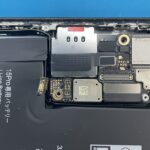
iPhone 15 Pro が水没…基板洗浄でデータ復旧に成功しました!
こんにちは。スマホ修理のスマップル札幌白石店 です。今回は、iPhone 15 Pro が水没して電源が入らなくなった端末のデータ復旧に成功した事例をご紹介します。 目次非表示 1. ■ ご来店時の症状 2. ■ 分解・ …投稿日:2026-01-25
アプリを消しても大丈夫?削除していい標準アプリまとめ
「最初から入っているアプリ、これって消していいの?」スマホを使っていると、一度は思いますよね。 結論から言うと、消しても問題ない標準アプリはあります。ただし、消すと困るアプリもあるので注意が必要です。 目次非表示 1. …投稿日:2026-01-21
お役立ち情報
PS4のディスク読み込み不良!自分でできる対処法とレーザーユニット交換
PlayStation 4(PS4)でゲームを楽しもうとした際、「ディスクが読み込めません」というエラーメッセージが表示されたり、読み込みの音が不自然に繰り返されたりするトラブルは非常にストレスが溜まるものです。特に最新 …投稿日:2026-02-15
100均のケースでも大丈夫?iPhoneを守る性能の差
iPhoneを購入した際、多くの人が最初に悩むのがケース選びです。Apple純正のシリコンケースや、有名ブランドの頑丈なケースは数千円から、高いものでは1万円を超えることも珍しくありません。その一方で、100円ショップに …投稿日:2026-02-14
iPhoneのシリアル番号から製造時期や保証期間を調べる方法
iPhoneを中古で購入した際や、長年愛用している端末のバッテリー持ちが悪くなったとき、「このiPhoneは一体いつ作られたものだろう」「まだメーカー保証は残っているのかな」と疑問に思うことはありませんか。iPhoneに …投稿日:2026-02-13
スマップル札幌白石店が「駅近30秒」で支持される理由
iPhoneやiPadが故障してしまった際、修理店選びで最も重視するポイントは何でしょうか。修理代金の安さ、技術力の高さ、そして何より通いやすさを挙げる方は非常に多いはずです。精密機器であるiPhoneが壊れたとき、多く …投稿日:2026-02-12
iPhoneは「防水」ではない?実は「耐水」だという話
iPhoneは水に強いんだ――そう思っている方は多いのではないでしょうか。 確かにAppleはiPhoneを水に強い設計にしています。しかし、実はiPhoneは「防水」ではなく、正しくは「耐水」です。 この違いを理解して …投稿日:2026-02-11