iPhone Charging Problem? – Where to Find a Quick Repair Shop in Hokkaido
One of the most frustrating issues an iPhone user can face is a charging problem. You plug in your device at night, only to wake up and find the battery at 1 percent. Or perhaps your phone only charges when the cable is held at a specific angle. For those living in or visiting Hokkaido, particularly around the Sapporo area, knowing where to go for a reliable and fast repair is essential. In this article, we will explore the common causes of iPhone charging issues and why Smapple Sapporo Ekimae is your best choice for a quick recovery.
- 1. Common Causes of iPhone Charging Issues
- 2. When Professional Repair is Necessary
- 3. Why Choose Smapple Sapporo Ekimae?
- 4. How to Prevent Future Charging Issues
- 5. Conclusion: Get Your iPhone Back to Life in Sapporo
- 6. iPhone Charging Problem? – Where to Find a Quick Repair Shop in Hokkaido
- 7. Identifying the Problem: Is it the Phone or the Cable?
- 8. The Difficulty of DIY Charging Port Repairs
- 9. Smapple Sapporo Shiroishi: Your Local Repair Expert
- 10. Tips for Maintaining Your iPhone Charging Port
- 11. Summary: Reliable iPhone Support in Shiroishi
Common Causes of iPhone Charging Issues
Before rushing to a repair shop, it is helpful to understand why your iPhone might be refusing to charge. Charging problems are generally categorized into three main types: accessory issues, software glitches, and hardware damage.
1. Faulty Charging Accessories
Often, the problem is not the iPhone itself but the cable or the power adapter. Non-Apple certified cables can fray internally or lose their connection over time. Try using a different, known-working MFi (Made for iPhone) cable and adapter to see if the issue persists.
2. Debris in the Charging Port
Since we carry our iPhones in pockets and bags, lint and dust frequently accumulate inside the charging port. Over time, this debris gets compressed by the charging cable, preventing the pins from making a solid connection. If you see a gap between the cable head and the phone body when plugged in, a dirty port is likely the culprit.
3. Battery Degradation
If your iPhone is several years old, the battery may have reached the end of its lifespan. A severely degraded battery might not accept a charge properly or might show fluctuating percentages. You can check your Battery Health in the iOS Settings app.
4. Software Crashes
Sometimes the software responsible for managing the power intake freezes. A forced restart can often resolve minor bugs that prevent the charging icon from appearing.
When Professional Repair is Necessary
If you have tried different cables and performed a restart but still cannot charge your device, the internal charging port (dock connector) is likely damaged. Physical signs that require a professional part replacement include:
・The charging cable feels loose or wiggles when inserted. ・The phone does not respond to any cable but works with wireless charging. ・There is visible damage or bent pins inside the port. ・The phone was recently exposed to liquid or high humidity.
The dock connector is a complex component that also handles the microphone and sometimes the speaker connections. Leaving it damaged can lead to further issues with your device.
Why Choose Smapple Sapporo Ekimae?
For those in the heart of Hokkaido, Smapple Sapporo Ekimae offers a premium repair service that balances speed, quality, and convenience.
Prime Location in Sapporo
Our shop is located just a 3-minute walk from JR Sapporo Station and a 5-minute walk from the Subway Sapporo Station. This central location makes it easy for commuters, tourists, and locals to drop off their devices. While you wait, you can visit nearby landmarks like Yodobashi Camera or grab a snack at the local 7-Eleven.
Same-Day Repair with Data Integrity
Unlike official service centers that may require you to mail in your device or wait days for an appointment, we specialize in same-day repairs. Most dock connector replacements take only 30 to 60 minutes. Most importantly, we prioritize your data. We perform repairs without initializing your device, meaning your photos, messages, and apps remain intact.
Expert Technicians and Quality Parts
Our staff members undergo rigorous training to handle the delicate internal components of the iPhone. We use high-quality replacement parts to ensure that your device functions just as it did when it was new. We also provide a post-repair warranty for your peace of mind.
How to Prevent Future Charging Issues
Once your iPhone is fixed, following these simple tips can help prevent the problem from returning:
Use certified MFi cables to ensure stable voltage.
Avoid using your phone for heavy tasks (like gaming) while it is charging to reduce heat.
Keep the charging port clean by occasionally using compressed air.
Unplug the cable gently by pulling the plug head, not the wire.
Conclusion: Get Your iPhone Back to Life in Sapporo
A dead battery is more than just an inconvenience; it can disconnect you from work, family, and navigation. If you are experiencing charging troubles in Hokkaido, do not wait until the battery dies completely. Visit Smapple Sapporo Ekimae for a professional diagnosis and a fast, reliable repair. We are here to ensure your iPhone stays powered up for all your adventures in Hokkaido.
次に、スマップル札幌白石店向けの記事です。
iPhone Charging Problem? – Where to Find a Quick Repair Shop in Hokkaido
Living in the Shiroishi area of Sapporo and struggling with an iPhone that won’t charge? It is a common problem, but it can be incredibly stressful when your primary tool for communication and information starts to fail. Whether it is a broken port or a dying battery, finding a local, trustworthy repair shop is the key to a stress-free fix. Here is everything you need to know about iPhone charging repairs at Smapple Sapporo Shiroishi.
Identifying the Problem: Is it the Phone or the Cable?
In the cold climate of Hokkaido, iPhone batteries and components can sometimes behave unexpectedly. If your phone stops charging, check these factors first:
・Check the Power Source: Ensure the wall outlet is active. Sometimes USB ports on older laptops do not provide enough amperage to charge a modern iPhone. ・Clean the Port: Even a tiny amount of pocket lint can prevent the cable from clicking into place. However, be extremely careful; using a metal needle can short-circuit the pins. ・Try a Forced Restart: Quickly press Volume Up, then Volume Down, and then hold the Side Button until the Apple logo appears. This resets the charging logic.
The Difficulty of DIY Charging Port Repairs
Many users consider fixing the charging port themselves, but the iPhone’s “dock connector” is one of the most difficult parts to replace. It requires removing the screen, the battery, and several tiny flex cables and brackets. Without the right tools and experience, it is very easy to damage the screen or the motherboard. Professional repair is always recommended to avoid turning a simple port issue into a total device failure.
Smapple Sapporo Shiroishi: Your Local Repair Expert
If you are near Shiroishi, you do not need to travel all the way to the city center for a high-quality repair. Smapple Sapporo Shiroishi provides top-tier service right in your neighborhood.
Unbeatable Convenience
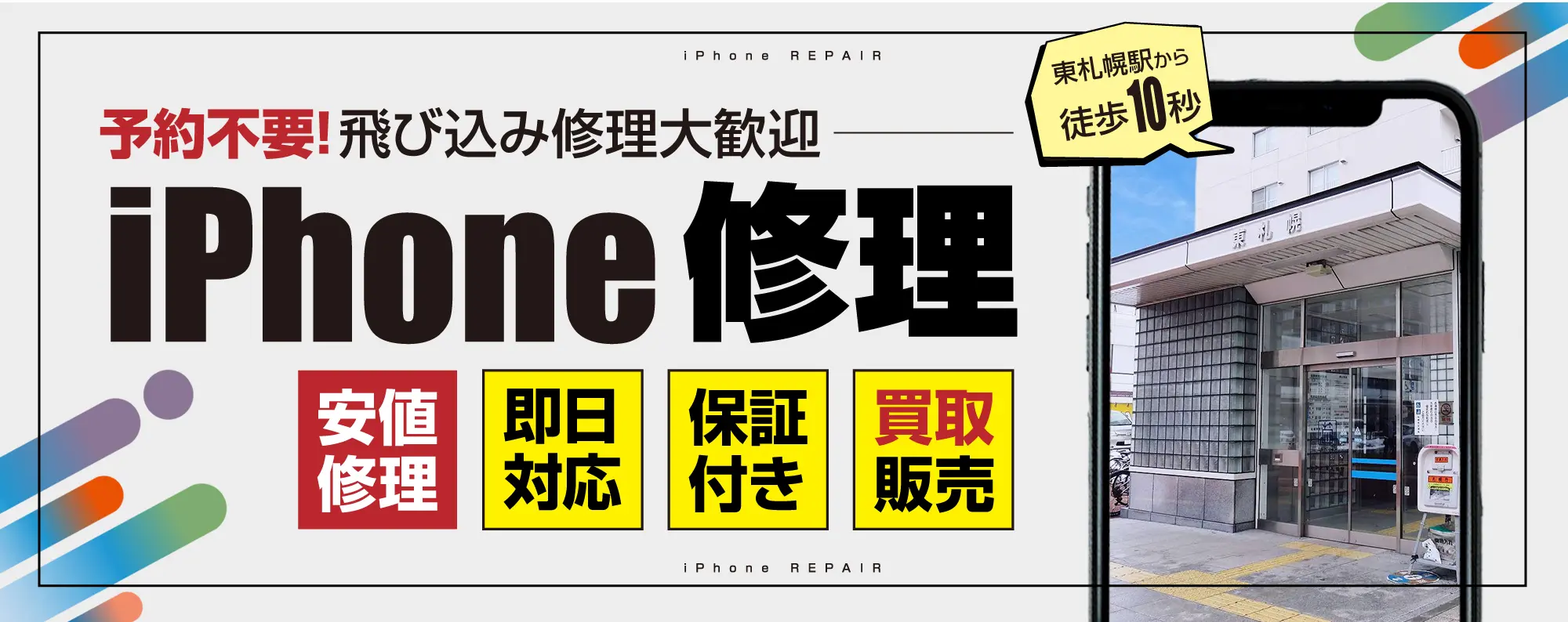
Our shop is located just a 30-second walk from Exit 2 of Higashi-Sapporo Station on the Tozai Subway Line. You can drop off your phone and pick it up less than an hour later, making it the perfect solution for busy parents, students, and professionals.
Fast Turnaround and Fair Pricing
We understand that you cannot be without your phone for long. Most charging port repairs are completed within 40 to 60 minutes. We offer transparent pricing with no hidden fees, often at a fraction of the cost of buying a new device or going through out-of-warranty official channels.
High Success Rate and Warranty
We have successfully repaired thousands of iPhones with charging issues. Because we stand by the quality of our work and our parts, we offer a comprehensive warranty on all repairs. If the part we replaced fails, we will make it right.
Tips for Maintaining Your iPhone Charging Port
To keep your newly repaired iPhone in top shape, consider the following:
・Avoid Moisture: Never charge your phone if you suspect the port is damp from snow or rain. ・Connect Carefully: Avoid yanking the cable out or bending it sharply while it is plugged in. ・Use Quality Gear: Cheap, uncertified chargers can surge and damage the internal “U2” charging chip on the motherboard, which is a much more expensive repair.
Summary: Reliable iPhone Support in Shiroishi
If your iPhone is showing signs of charging failure, do not wait for it to become a brick. Bring it to Smapple Sapporo Shiroishi, conveniently located right next to Higashi-Sapporo Station. Our expert team is ready to provide a quick, professional, and affordable solution to get your digital life back on track. For all your iPhone repair needs in Hokkaido, we are your local experts you can count on.
お問い合わせスマップルへの修理予約&お問い合わせ

| 店舗名 | スマップル札幌白石店 |
|---|---|
| 営業時間 | 10:00 ~ 19:00 |
| TEL | 011-215-0707 |
| 住所 | 〒003-0002 北海道札幌市白石区東札幌2条2丁目4-21 ラ・メール札幌 1F |

お知らせ
修理ブログ
arrows Weのガラス割れを画面交換でキレイに復旧しました!
こんにちは!スマホ修理のスマップル札幌白石店です。 今回は、 arrows We(アローズ ウィー)のガラス割れ修理をご依頼いただきましたので、その作業の様子をご紹介いたします。 目次非表示 1. ■【ご相談内容】 2. …投稿日:2026-02-15
iPhone12、ついに“電池切れ人生”に終止符を打つの巻
こんにちは、スマップル札幌白石店スタッフです。本日のお客様は―― 「朝100%だったのに、お昼には瀕死です…」と、まるでご自身の体力の話のように切実な表情を浮かべた iPhone12 さん。 最近はちょっとしたSNSチェ …投稿日:2026-02-08
3DS LLのスライドパッド(スティック)ドリフトを修理しました!
こんにちは!スマップル札幌白石店です。 今回は、Nintendo 3DS LL のスライドパッドが勝手に動く(いわゆる「ドリフト」現象)というご相談をいただき、修理を行いましたのでご紹介します。 ■ 相談内容 お客様から …投稿日:2026-02-01
iPhone 15 Pro が水没…基板洗浄でデータ復旧に成功しました!
こんにちは。スマホ修理のスマップル札幌白石店 です。今回は、iPhone 15 Pro が水没して電源が入らなくなった端末のデータ復旧に成功した事例をご紹介します。 目次非表示 1. ■ ご来店時の症状 2. ■ 分解・ …投稿日:2026-01-25
アプリを消しても大丈夫?削除していい標準アプリまとめ
「最初から入っているアプリ、これって消していいの?」スマホを使っていると、一度は思いますよね。 結論から言うと、消しても問題ない標準アプリはあります。ただし、消すと困るアプリもあるので注意が必要です。 目次非表示 1. …投稿日:2026-01-21
お役立ち情報

PS4のディスク読み込み不良!自分でできる対処法とレーザーユニット交換
PlayStation 4(PS4)でゲームを楽しもうとした際、「ディスクが読み込めません」というエラーメッセージが表示されたり、読み込みの音が不自然に繰り返されたりするトラブルは非常にストレスが溜まるものです。特に最新 …投稿日:2026-02-15
100均のケースでも大丈夫?iPhoneを守る性能の差
iPhoneを購入した際、多くの人が最初に悩むのがケース選びです。Apple純正のシリコンケースや、有名ブランドの頑丈なケースは数千円から、高いものでは1万円を超えることも珍しくありません。その一方で、100円ショップに …投稿日:2026-02-14
iPhoneのシリアル番号から製造時期や保証期間を調べる方法
iPhoneを中古で購入した際や、長年愛用している端末のバッテリー持ちが悪くなったとき、「このiPhoneは一体いつ作られたものだろう」「まだメーカー保証は残っているのかな」と疑問に思うことはありませんか。iPhoneに …投稿日:2026-02-13
スマップル札幌白石店が「駅近30秒」で支持される理由
iPhoneやiPadが故障してしまった際、修理店選びで最も重視するポイントは何でしょうか。修理代金の安さ、技術力の高さ、そして何より通いやすさを挙げる方は非常に多いはずです。精密機器であるiPhoneが壊れたとき、多く …投稿日:2026-02-12
iPhoneは「防水」ではない?実は「耐水」だという話
iPhoneは水に強いんだ――そう思っている方は多いのではないでしょうか。 確かにAppleはiPhoneを水に強い設計にしています。しかし、実はiPhoneは「防水」ではなく、正しくは「耐水」です。 この違いを理解して …投稿日:2026-02-11